ASHWIN KRISHNADAS
Project Nebula
Unity | C# | Forge Networking | Android
About the game
It's a 2 player co-op multiplayer mobile game playable over the local WiFi network. One player assumes the role of the pilot navigating a spaceship through a dense asteroid field while also fleeing from the enemies on pursuit, and the other player mounts a railgun on the ship and shoots down enemies and the mothership.
Under the hood
Check out what makes it tick!
Architecture
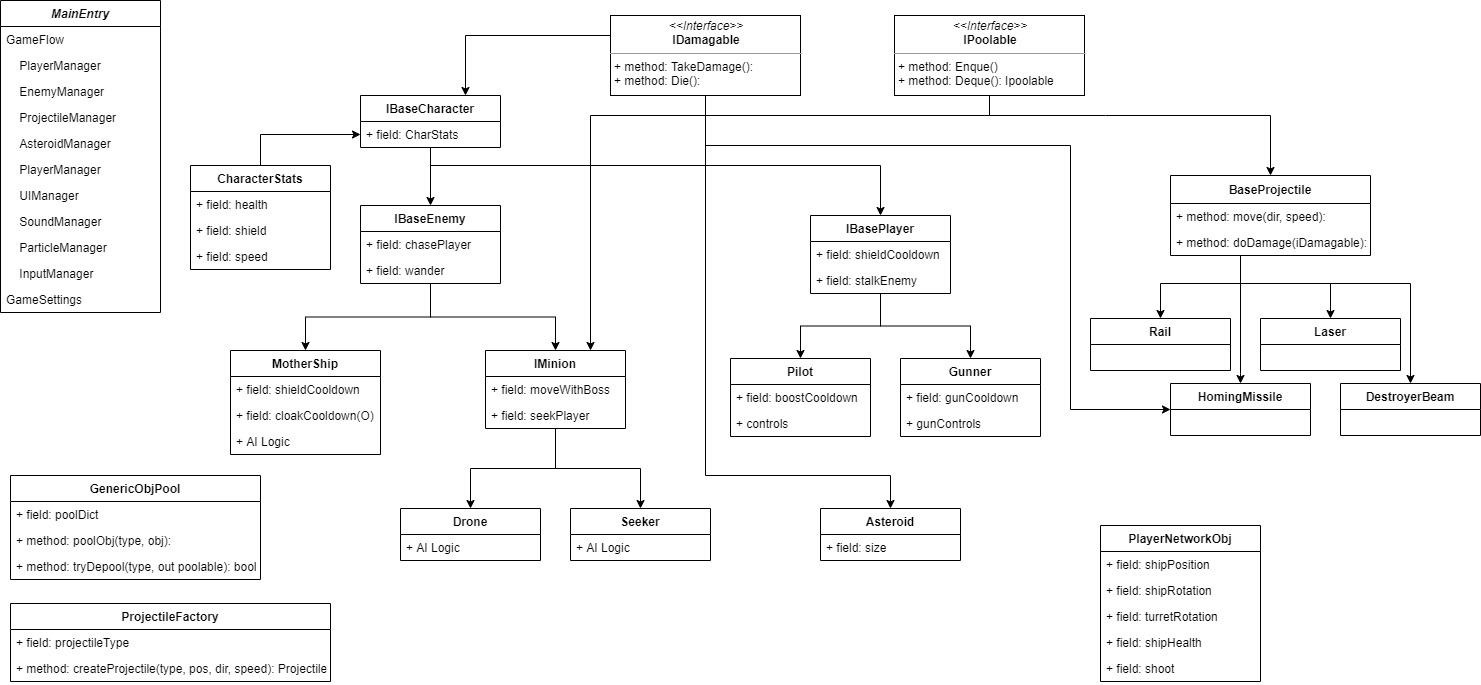
Scalable Damage system using Interfaces
IDamageable interface
public interface IDamagable
{
	void TakeDamage(float damage);
	void Die();
}
Any gameobject implementing IDamageable can take damage.
Implementing Class - Pilot
public class Pilot : PilotBehavior, IBasePlayer, IDamagable, IShielded
{
	....
	// some code
	....
	public void TakeDamage(float damage)
	{
		if (CharStats.shield > 0)
		{
			TakeShieldDamage(damage * 2);
			return;
		}
		CharStats.health -= damage;
		notUnderAttackTimer = 0;
		if (CharStats.health <= 0)
			Die();
	}
	...
	// more code
	...
}
Dealing Damage - Enemy Laser
if (Physics.Raycast(transform.position, target, out RaycastHit hit, maxDistRayCast))
{
	if (hit.transform.gameObject.TryGetComponent(out IDamagable d))
		HitTarget(d, LayerMask.LayerToName(hit.transform.gameObject.layer));
	Explode();
	Died();
	return;
}

protected override void HitTarget(IDamagable targetHit, string layerName)
{
	if (layerName == "Player" || layerName == "Asteroid")
		targetHit.TakeDamage(laserDamage);
}
Dealing damage is as simple as checking if the hit object implements IDamagable and if it does, call it's take damage method and pass in the damage dealt. Layers are used to prevent "friendly fire" between damagable objects.
Networking
Used Forge Networking plugin to implement the multiplayer features of the game. Forge handles most of the grunt work related to networking. It uses Network Objects to transfer data, such as position and rotation of objects, between clients and server and RPCs to call procedures simultaneuosly on all connected devices.
Generic Object Pool and Generic Factory
As part of code optimization, I used Factory and Pool pattern for reusing Projectiles and Particles in the game.
Generic Object Pool
public class GenericObjectPool
{
    #region Singleton
    private static GenericObjectPool instance;
    private GenericObjectPool() { }
    public static GenericObjectPool Instance { get { return instance ?? (instance = new GenericObjectPool()); } }
    #endregion

    Dictionary<System.Type, Queue<IPoolable>> pool = new Dictionary<System.Type, Queue<IPoolable>>();

    public void PoolObject(System.Type type, IPoolable obj)
    {
        if (pool.Count > 0 && pool.ContainsKey(type))
            pool[type].Enqueue(obj);
        else
            pool.Add(type, new Queue<IPoolable>(new[] { obj }));
    }

    public bool TryDepool(System.Type type, out IPoolable toRet)
    {
        toRet = null;

        if (pool.Count > 0 && pool.ContainsKey(type) && pool[type].Count > 0)
        {
            toRet = pool[type].Dequeue();
            return true;
        }
        return false;
    }
}
This Generic pool can pool any type of object provided it Implements an IPoolable interface.
Generic Factory and Projectile Factory
public class GenericFactory<T, U> where T : MonoBehaviour where U : System.Enum
{
    public Dictionary<string, GameObject> prefabDict;

    public T CreateObject(U oType, Vector3 pos, Quaternion rot, Transform parent = null)
    {
        T obj;

        if (GenericObjectPool.Instance.TryDepool(oType.GetType(), out IPoolable poolable))
        {
            obj = (T)poolable;
            obj.transform.position = pos;
            obj.transform.rotation = rot;
            obj.gameObject.SetActive(true);
        }
        else
        {
            obj = GameObject.Instantiate(prefabDict[oType.ToString()], pos, rot).GetComponent<T>();
        }
        obj.transform.SetParent(parent);

        return obj;
    }

}

public class ProjectileFactory : GenericFactory<Projectile, ProjectileFactory.ProjectileType>
{

    #region Singleton
    private static ProjectileFactory instance;
    private ProjectileFactory() { }
    public static ProjectileFactory Instance { get { return instance ?? (instance = new ProjectileFactory()); } }
    #endregion

    public enum ProjectileType { Rail, Laser, DestructorBeam, HomingMissile };


    public void Initialize()
    {
        prefabDict = Resources.LoadAll<GameObject>("Prefabs/Projectiles/").ToDictionary(x => x.name);
    }

    public Projectile CreateProjectile(ProjectileType pType, Vector3 pos, Vector3 target, Quaternion rot, float speed)
    {
        Projectile projectile = CreateObject(pType, pos, rot, ProjectileManager.Instance.projParent);

        projectile.Initialize(pType, speed, target);
        ProjectileManager.Instance.managingSet.Add(projectile);

        return projectile;
    }
}
Shader Graphs
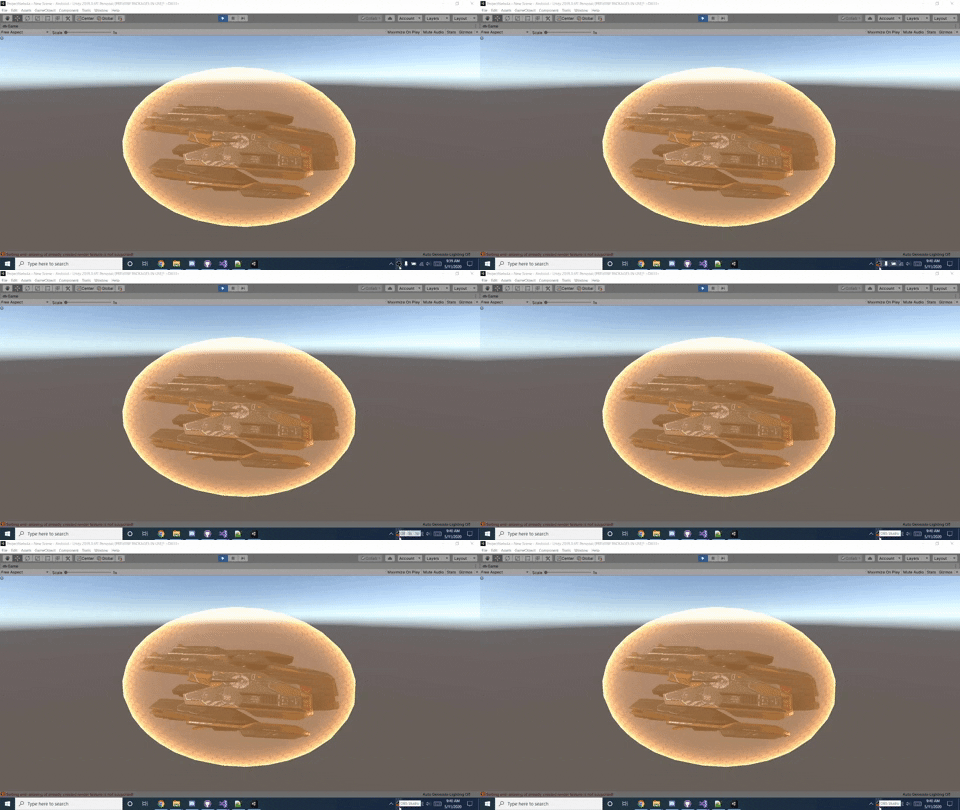
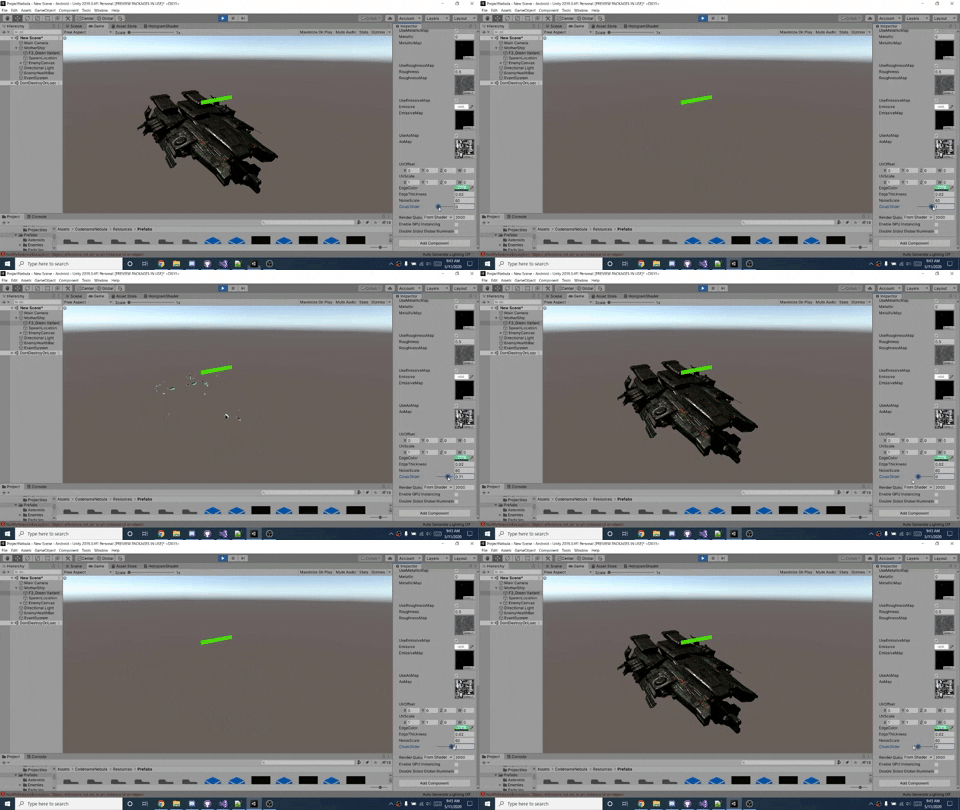
Used Unity Shader Graphs to make some cool custom shaders for Player Shield, Mothership cloaking and the laser boundary walls.